

Water tracker
Keep your water goal in sight.
A DAY WITH LTG / A moment to pause
Log a glass. Follow your daily goal. Turn on a reminder if it helps. LTG’s water tracker keeps hydration part of your day, without making it the whole day.

How it works
How to use it
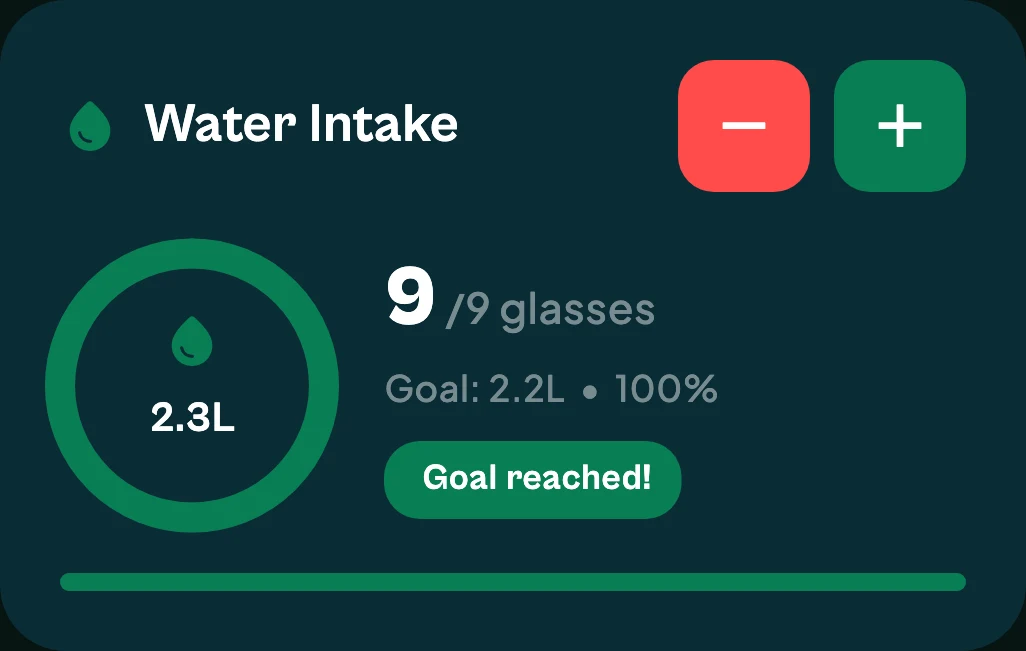
Tap plus to log a glass and watch the day's water fill towards your goal. LTG suggests a daily goal from your profile, and reminders stay off until you turn them on. Water logging is free, on your phone and from the LTG Apple Watch app.
- 01
Log a glass
One tap adds a glass; a second button takes one away if you tapped by mistake.
- 02
Follow your goal
The ring and progress bar show how far through the day's goal you are, in glasses and litres.
- 03
Reminders, if you want them
Turn on hydration reminders when a nudge would help, and turn them off again any time.
Good to know
The details that matter
Free
Water logging, the daily goal and reminders are all free.
A general goal
The suggested goal is a general guideline based on your profile. How much you need varies with your body, activity and climate.
- General guidance: NHS: Water, drinks and your health.
Questions
Water tracker: questions
Are hydration reminders on by default?
No. Reminders are opt-in: you choose to turn them on, and you can turn them off at any time.
Can I log water from my watch?
Yes. The LTG Apple Watch app can log water, and your iPhone keeps the count in sync.
How are water reminders sent?
Turn on Hydration Reminders in Settings and LTG sends up to four “Time for a water break” reminders a day. Turn them off there at any time.
How is my daily water goal set?
LTG suggests a goal from your profile, such as your body weight and activity level. It's a general guideline: how much you need varies with your body, activity and climate.
YOUR NEXT CHAPTER
Get LTG Lifestyle.
Get meal logging, steps, water and daily habits together on iPhone or Android.

Free to download on iPhone and Android.